
Keep the Pause. Cut the Break.
One 31.6-second practice recording, taken through a Descript workflow built to be reused: the original kept, the pacing edited on purpose, a vertical version with captions, and a duplicate that proves the setup carries over. Then a short film that explains it.
Project ID: DSC-317-1340 · Editor and director: Clinton Douglas IV · Company: KSD GovCon LLC DBA Vasrue Digital Media · Demonstration project on practice footage, not client work
Explainer film · 2:34
Descript Automation & Workflow
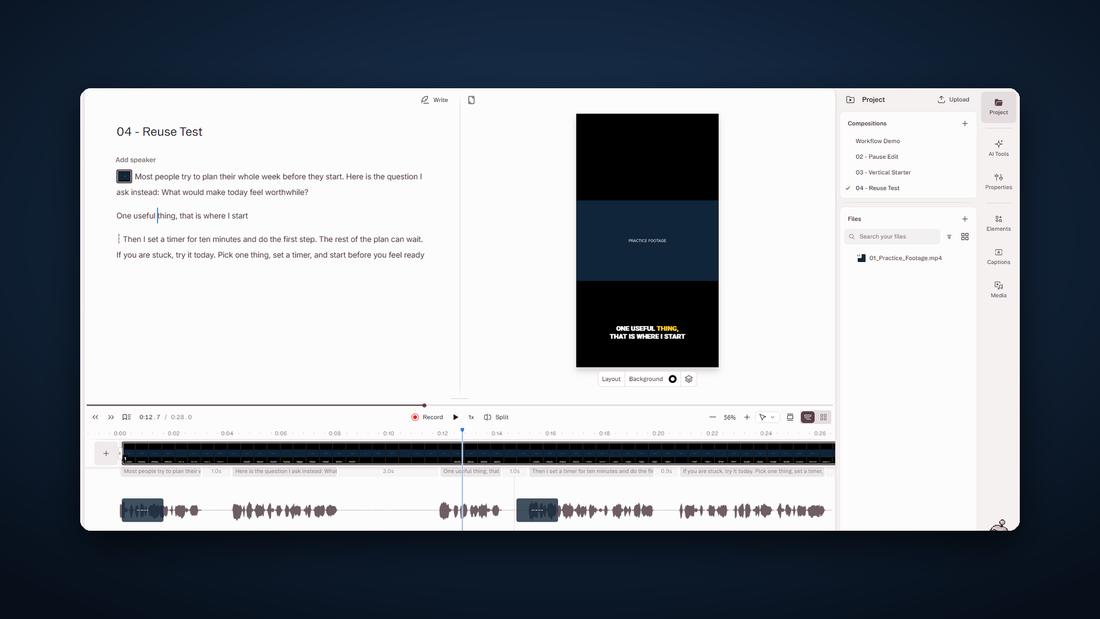
Every screen in the film is a crop of the real Descript project. The practice recording’s own voice is never played; the film is narrated over the top, and the pause edit is shown as waveforms drawn from the two audio files.
One project, two ways to look at it
For teams that edit in Descript and rebuild the same format every week.
See the workflow →For anyone who needs a process or product explained in under three minutes. The film is above.
How the film was made →The Descript project
Not every pause is dead air. Cut all of them and the speaker sounds rushed. Cut none and the viewer waits through the mistakes. This project shows the difference, and then turns the result into a starting point for the next video.
Four compositions, one recording
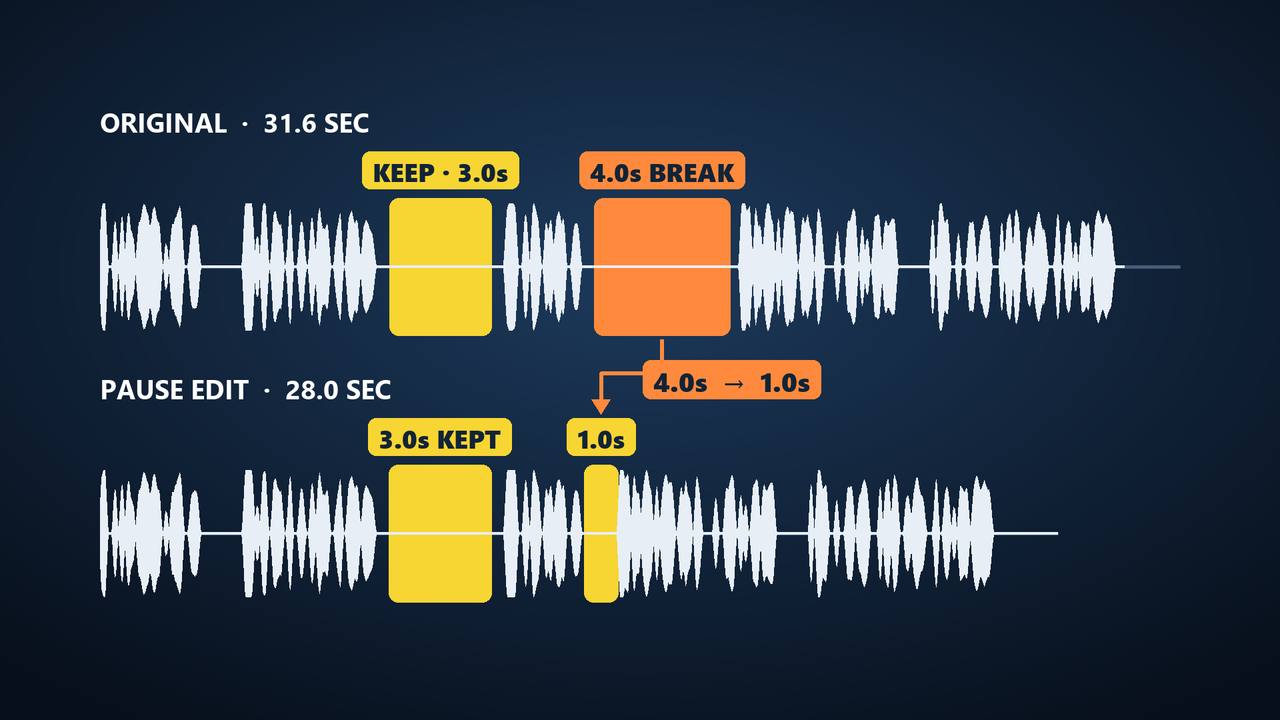
- Original sourceThe landscape recording is imported and left untouched as the baseline: 31.6 seconds, with the transcript and waveform side by side. Two gaps stand out, 3.0 seconds and 4.0 seconds.
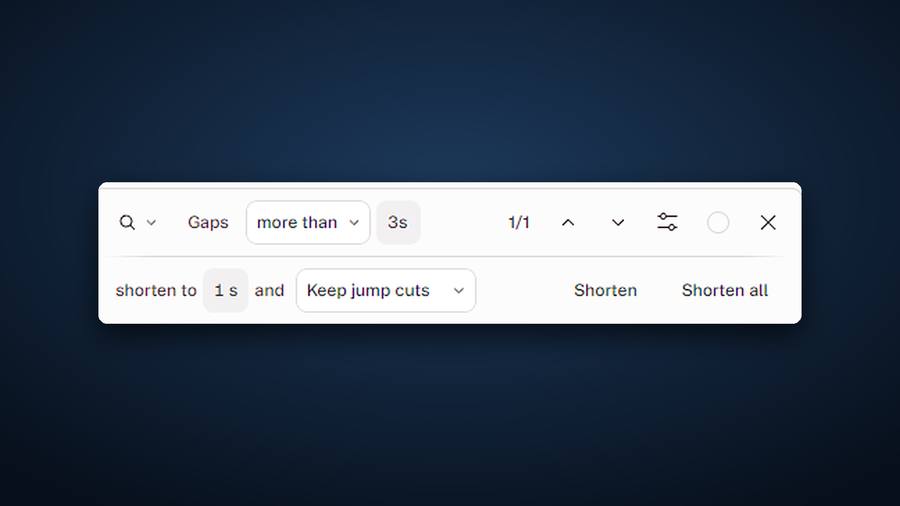
- Edit with intentionThe 3.0-second pause follows a question, so it stays. The 4.0-second gap is a recording break, between “That is where I start” and “Then I set a timer,” so it is shortened to 1.0 second with Descript’s gap tool. The working copy runs 28.0 seconds.
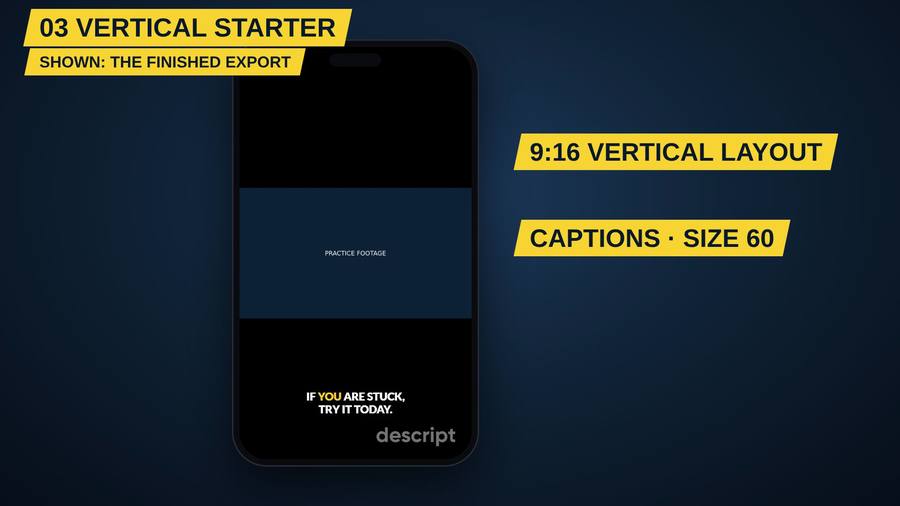
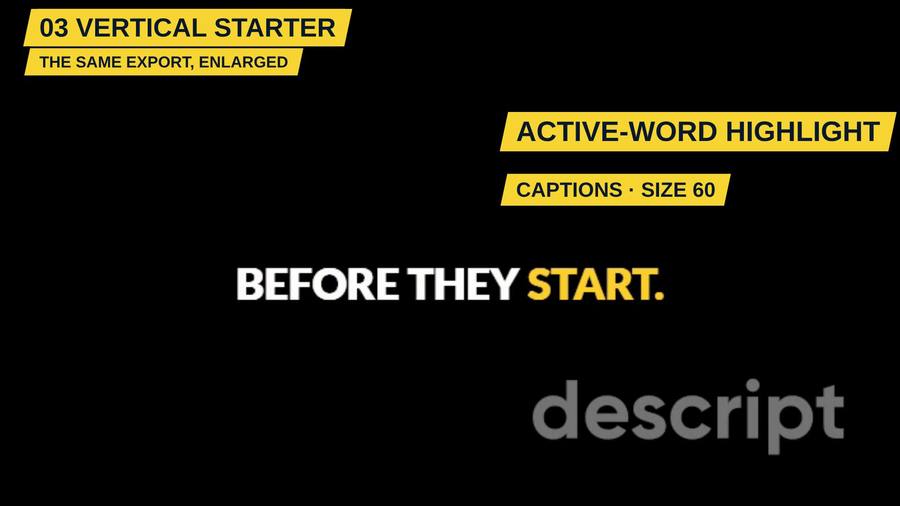
- Vertical starterA portrait composition for short-form, with captions low in the frame and the active word highlighted.
- Reuse and verifyThe starter is duplicated and checked: the layout, the captions and the 1.0-second edit all carry over.
What the tool did and what the editor decided
| Descript | The editor |
|---|---|
| Turned the recording into an editable transcript | Chose to keep the original as a baseline |
| Found the gaps and measured them | Decided which pause was doing a job and which was not |
| Shortened the gap to the length set | Set that length at one second |
| Generated the captions and the word highlight | Placed them low in the frame and kept them consistent |
| Duplicated the composition | Checked that the edit and the layout carried over |
Keep the intention. Remove the interruption.
Descript, text-based video editing, pause and pacing edits, captions, vertical short-form video, reusable editing templates.
The explainer film
A workflow is hard to show in screenshots. So the project got its own film, at the top of this page: two and a half minutes that walk through the four steps using the real screens and the real audio.
Chapters
- 0:00 Intro
- 0:20 One recording, four compositions
- 0:30 01 Original source
- 0:54 02 Edit with intention
- 1:30 03 Vertical starter
- 1:49 04 Reuse and verify
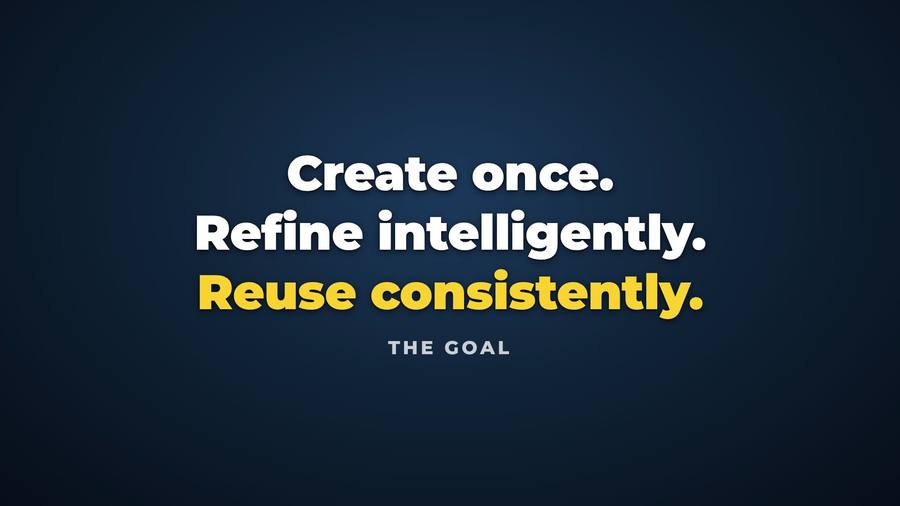
- 2:02 Create once, refine, reuse
How the film was made
- ScriptWritten around the four steps, one idea per section.
- VoiceoverAn AI-generated voice. The read came back with the production notes spoken aloud, so those thirteen seconds were cut before anything else was built.
- Proof firstEvery screen is a crop of a real Descript screenshot, and nothing was retouched. An attempt to erase hand-drawn pen marks smeared the waveform, so it was thrown out and the film uses clean crops of the untouched areas instead.
- The pause, drawn from the audioThe before and after waveforms are generated from the two real files at the same scale and labelled with Descript’s own numbers.
- Music and mixAn original Vasrue Digital Media instrumental, held about 20 dB under the voice, with the finished film mastered to −16 LUFS.
- Quality controlThree versions. The first two had faults found in review and were replaced.
Three versions
| Version | What review found | Fixed in |
|---|---|---|
| v1 | A clean-up step had damaged the text in the gap-tool crop; the captions were too small inside the phone frame; the timeline labels were unreadable; account details showed in the app bar. | v2 |
| v2 | Subtitles broke into uneven lines, leaving single words on a second line. | v3 |
| v3 | Passed a frame-by-frame review. | Current |
Explainer video production, scriptwriting, motion graphics, screen-capture storytelling, audio mixing and loudness mastering, quality control.
AI-assisted, human-directed
The voiceover is AI-generated. The film was assembled in code with an AI coding partner, Claude by Anthropic, working under Clinton’s direction.
The editing decisions in the Descript project were his: which pause to keep, how short the break should be, where the captions sit and what to carry into the duplicate. So was the review of every version of the film.
What this project is
A demonstration project built on a practice recording to show a reusable Descript workflow. It is not client work and does not represent a past client setup. Every figure on this page is Descript’s own readout or a measurement of the two audio files. The voiceover is AI-generated. The soundtrack is an original Vasrue Digital Media instrumental. Not sponsored by or affiliated with Descript.
How we make videos → The talking-head explainer → Documentary interview editing → Our first cartoon → Back to the portfolio →
Rebuilding the same edit every week? Build it once.
If your team records talking-head videos, podcasts or training clips, Vasrue Digital Media can set up the editing workflow once — pacing, captions and a vertical version — so each new recording starts from a tested template instead of a blank timeline.